
Every caller.
The right place, first time.
WOCOM365 IVR greets every caller, understands what they need, and routes them to the right department, agent or self-service option automatically — with a no-code flow builder, multi-language prompts and real-time analytics.

The first voice a caller hears, doing the work of a receptionist and a router at once
IVR, or Interactive Voice Response, is the automated system that greets a caller, presents a menu of options, and routes the call based on a keypress or spoken response — to a department, a specific agent, a self-service flow, or another menu layer entirely. It's the difference between a caller navigating blindly to the right person and every call landing exactly where it needs to, every time.
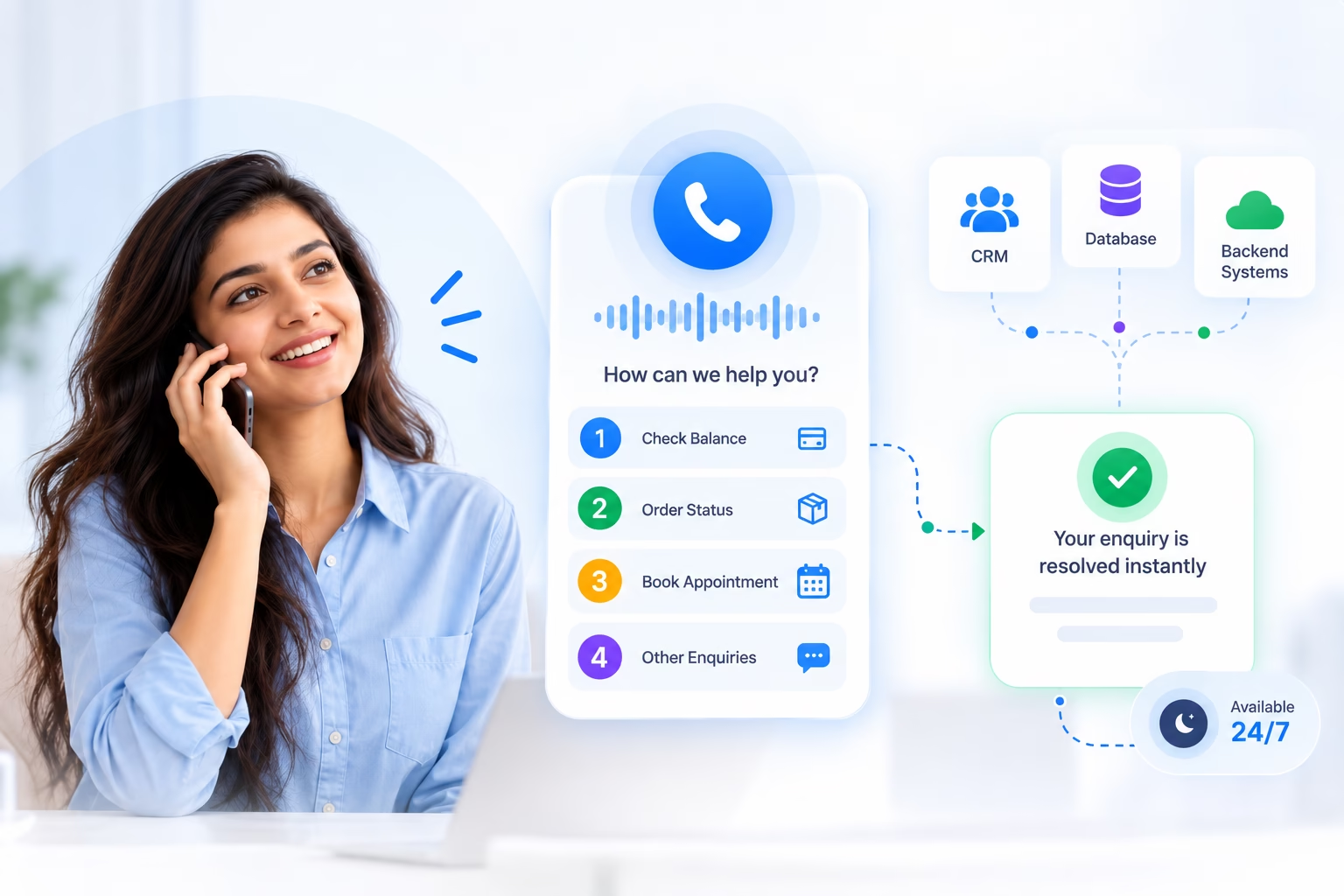
Beyond routing, a well-built IVR can resolve a meaningful share of calls without ever involving a live agent. By connecting to your CRM or backend systems, it can look up an account balance, an order status or an appointment time and read it back to the caller directly, turning a routine enquiry into a thirty-second self-service interaction instead of a queued call.
WOCOM365 IVR is built with a no-code visual flow builder, so teams can design, test and update multi-level menus without waiting on a developer, and every call path is logged for analytics on where callers go, where they drop off, and how well each flow is actually resolving enquiries.
One system, three jobs a receptionist alone can't scale to
Run all three from the same flow builder and reporting dashboard.
Inbound Call Routing
Greet every caller and route them to the right department, agent or skill group based on their selection.
Self-Service IVR
Let callers check a balance, order status or appointment time without ever reaching a live agent.
Outbound IVR Surveys
Run automated keypress surveys and notifications at scale, capturing structured responses automatically.
From first ring to the right place, in seconds
No manual transfers, no guessing which extension to try.
Caller dials in
The IVR answers instantly and plays a greeting, with menu options relevant to your business hours.
Menu presented
The caller selects an option by keypress or voice, navigating as many menu layers as you've designed.
Routed or resolved
The call reaches the right agent or department, or resolves entirely through self-service data lookup.
Logged & analysed
Every path, drop-off and resolution is captured for your real-time IVR analytics dashboard.
Everything a modern call flow needs, without a developer on call
Multi-Level Menu Builder
Design nested IVR menus visually, testing and publishing changes without writing code.
Business Hours & Holiday Routing
Switch menus and messaging automatically for after-hours, weekends and holidays.
Multi-Language Prompts
Offer menus and prompts in multiple languages, selected automatically or by the caller.
Skill-Based Call Routing
Route calls to the agent best equipped to handle them, by language, product or expertise.
Voicemail & Callback Options
Let callers leave a message or request a callback instead of waiting on hold.
Call Recording & Analytics
Record every call and see menu paths, drop-off points and resolution rate in real time.
Fewer misrouted calls, fewer routine calls at all
No more transfers, no more starting the story over
A caller who gets bounced between three extensions before reaching the right person has already had a bad experience, regardless of how well that person eventually helps them. A clear, well-designed IVR menu gets a caller to the right destination on the first attempt, cutting internal transfers and the frustration that comes with them.
- Fewer internal transfers between departments
- Skill-based routing gets callers to the right expert
- Consistent experience regardless of who's on shift

The best call is often the one an agent never has to take
A meaningful share of inbound calls are routine — a balance check, an order status, an appointment confirmation. When IVR can pull that answer directly from your systems and read it back to the caller, it resolves the enquiry in under a minute, freeing agents to focus on the calls that genuinely need a human.
- Live data lookups from CRM or backend systems
- Routine enquiries resolved without agent time
- Available around the clock, including after hours
Anywhere a call needs to find its way without a human dispatcher
From a banking helpline to a hospital front desk, IVR is the quiet routing layer behind a well-run phone line.
BFSI
Healthcare
E-Commerce
Logistics
Real Estate
Works with the tools your team already uses
Pull live account and order data into IVR flows, and log every call directly into your CRM.
- Live data lookups from CRM & backend systems
- Call logging & recordings synced automatically
- API & webhook support for custom stacks

Built for call volume that doesn't wait for business hours
Everything below runs on the same infrastructure powering your voice and messaging channels.
Visual Flow Designer
Build, test and publish multi-level IVR flows with a drag-and-drop, no-code editor.
Dynamic Data Lookup
Pull live account, order or appointment data from your systems and read it back to callers.
Speech Recognition
Let callers speak their choice instead of pressing a key, for a faster, more natural flow.
Real-Time Call Monitoring
Watch live call volume, queue depth and menu paths as they happen from a single dashboard.
Failover & Redundancy
Automatic failover keeps your IVR answering calls even during infrastructure disruptions.
API & Webhook Triggers
Trigger external workflows from any point in an IVR flow, and pull events back in real time.
Fewer transfers, more calls resolved without an agent
BFSI A bank cut inbound call volume with self-service balance and statement IVR +
Balance checks and mini-statement requests now resolve entirely through IVR self-service, pulling live data from the core banking system without ever routing to an agent.
Healthcare A hospital network reduced misrouted calls with skill-based IVR routing +
Callers now select department and language upfront, routing directly to the right desk instead of being transferred multiple times by front-desk staff.
E-Commerce A retailer resolved order-status enquiries entirely through IVR self-service +
Callers can now check order status by entering an order number, with the IVR pulling live shipment data and reading it back, no agent required for the most common query type.
What businesses say
"Balance and statement requests used to flood our call centre. Now self-service IVR handles most of them, and our agents finally have room to breathe."
"Callers reach the right department on the first try now. Our front desk used to spend half its day just transferring calls."
"Order status is our single biggest call driver, and IVR now resolves nearly all of it without an agent ever picking up."
Frequently asked questions
What is IVR and how does it work?
IVR, or Interactive Voice Response, is an automated phone system that greets callers and lets them navigate a menu using keypress or voice input, routing the call to the right department, agent or self-service option without a live agent answering every call.
Do I need technical skills to build an IVR menu?
No. WOCOM365 provides a no-code visual flow builder, so teams can design, test and update multi-level IVR menus by dragging and connecting steps, without writing code or involving a developer for every change.
Can IVR handle self-service without a live agent?
Yes. IVR can look up account balances, order status or appointment details directly from your CRM or backend system and read the information back to the caller, resolving many enquiries without ever routing to a human agent.
Can IVR route calls differently based on business hours?
Yes. You can configure different menus, messages and routing rules for business hours, after-hours, weekends and holidays, so callers always reach an appropriate option, including voicemail or callback scheduling when no agent is available.
Does WOCOM365 IVR support multiple languages?
Yes. IVR prompts and menus can be configured in multiple languages, with callers routed to the appropriate language flow automatically or by selection at the start of the call.
Can IVR calls be recorded and analysed?
Yes. Every IVR interaction can be recorded and logged, with real-time analytics on menu paths, drop-off points, resolution rate and call volume available on your dashboard.
Ready for a call flow that routes itself?
Talk to a WOCOM365 specialist and get your IVR flow designed and live this week.