WhatsApp Business API for Festive Season Marketing: A Practical Playbook for Diwali and Beyond
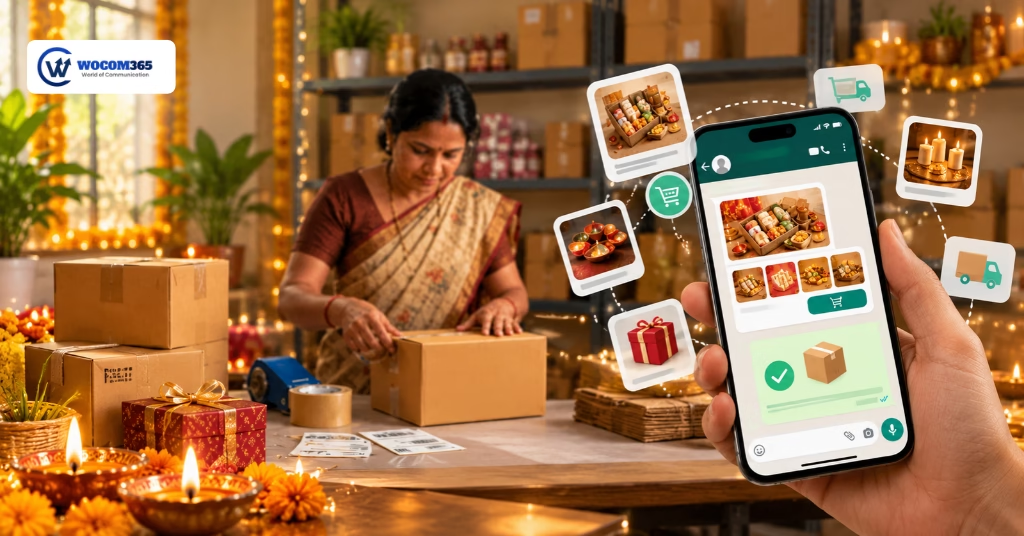
Festive season is the one stretch of the year when shoppers are ready to spend and every brand in your category is shouting for their attention. Email gets buried, SMS blurs together, and ad costs creep up week after week. WhatsApp is where people already plan Diwali with their families, which is exactly why a well-timed message from your brand actually gets opened. This guide covers how to use the WhatsApp Business API for festive season marketing, from the set-up work most teams skip to week-by-week campaign ideas that move sales, plus the mistakes we see brands repeat every year.
Why WhatsApp works so well in festive season
Think about how your own phone looks during Diwali week. Family groups buzzing, delivery updates, a dozen brand promotions, and somewhere in the middle, a WhatsApp chat with a shop you actually bought from. That last one gets read first. People treat WhatsApp as a personal space, so a message from a brand they have opted in to hear from feels closer to a note from a shopkeeper than to an advertisement.
The regular WhatsApp Business app is fine for a small shop with one phone. The WhatsApp Business API is built for scale. It lets you send approved template messages to thousands of opted-in customers, plug the conversation into your CRM, run chatbots, and hand a chat to a human agent when a customer needs one. That matters in festive season, when your inbound queries can jump several times overnight and one phone cannot keep up.
Here is what the API gives a marketing team that the normal app does not:
- Bulk, personalised messages with images, buttons and links, sent through approved templates
- Automated replies for the questions you answer fifty times a day
- Multiple agents working one number at the same time
- Campaign reports, so you know what was delivered, read and clicked
- Integration with your CRM, store, or helpdesk so every chat has context
Get the foundation right before you press send
Most festive campaigns that fall flat don’t fail on creativity. They fail on set-up. Spend a few days on this list now and the sale itself will run far more smoothly.
- Collect clean opt-ins. WhatsApp expects customers to agree to hear from you. Use checkout checkboxes, website forms, missed-call numbers, QR codes in store, and click-to-WhatsApp ads. Note where and when each person opted in.
- Get your templates approved early. Every business-initiated message needs a template that WhatsApp has reviewed. Approvals can take time, and a rejected template in the last week of the sale is a nightmare. Submit your festive templates at least a week or two ahead, and keep backups.
- Choose the right template category. Marketing, utility and authentication messages are treated differently, and so is their pricing. An order update is utility. A “flat 20% off” message is marketing. Label them honestly. Meta also revises its rate card from time to time, so check the current one before you fix your campaign budget.
- Protect your quality rating. If many people block or report your messages, WhatsApp can lower your quality rating and limit how many people you can message each day. Festive season is the worst time to find that out.
- Segment your list. New buyers, repeat buyers, cart abandoners and people who haven’t ordered in six months need different messages. One blast to everyone is the quickest way to get blocked.
- Connect your systems. Link your CRM or store so that a customer’s name, last order and city can show up in the message and in the agent’s chat window.
- Run a dry test. Send every template to your own team first. Check that links open, images load and buttons work on both Android and iPhone.
A festive campaign calendar you can copy
Count backwards from your own sale start date (Day 0) and adjust the timing to your category. A jeweller’s calendar will look different from a grocery brand’s, but the rhythm is similar.
| Phase | When | What to send | Template type |
| Warm-up | 3 to 2 weeks before | Festive collection teaser, early-access sign-up, gift guide | Marketing |
| Early access | 10 to 7 days before | VIP preview for repeat buyers, pre-order or booking link | Marketing |
| Countdown | 3 to 1 days before | Reminder with the offer, store timings, delivery cut-off dates | Marketing |
| Launch | Day 0 | Sale is live message with one clear button | Marketing |
| Peak | Day 1 to the festival | Cart reminders, low-stock alerts, free-text support replies | Marketing, service |
| Fulfilment | Throughout | Order confirmation, payment and delivery updates | Utility |
| Thank you | 2 to 5 days after | Thanks, feedback request, invoice or warranty details | Utility, marketing |
| Second wind | 1 to 2 weeks after | Sale extension, wedding season offers, reorder reminder | Marketing |
Pre-festive WhatsApp campaign ideas that build demand
The brands that win Diwali usually start talking weeks before it. The goal in this phase is not to sell hard. It is to get on the customer’s shortlist and give them a reason to come back on sale day.
1. Gift guide with a catalogue
A sweets and dry-fruit brand can send a short guide: hampers by budget, with a button to browse the catalogue inside the chat. Something like: “Hi Neha, gifting season is here. Browse our Diwali hampers under ₹999, ₹1,999 and ₹2,999.” Customers can pick, ask a question and order without leaving WhatsApp.
2. VIP early access
Your best customers like to feel recognised. A car dealership might message past buyers: “Your festive service offer and early test drive slots open 48 hours before everyone else. Pick a time below.” Quick-reply buttons for the slot work better than asking people to type.
3. Site visit invitations
For real estate, the festive season is a strong window because buyers consider the occasion auspicious. Send a project walkthrough video and a button to book a site visit. Follow it with a reminder the day before, and a short message with the location pin on the morning of the visit.
4. Stock-up reminders
A grocery or home-essentials brand can send a checklist message: pooja items, oils, dry fruits, cleaning supplies. Add a “Repeat my last order” button for returning customers and you have removed most of the effort from their festive shopping.
5. Countdown reminders
Three days before the sale, a short message does a lot: the offer, the last date, and a link. Keep it to two lines. Nobody reads a paragraph in a festive week.
A simple rule of thumb: send your pre-festive messages between late morning and early evening. Anything that lands at 11 pm looks like spam, no matter how good the offer is.
During the sale: keep the momentum without being pushy
Once the sale is live, your job changes. You are no longer building interest. You are removing friction between a customer who is ready to buy and the checkout.
- Launch message. One line, one offer, one button. “The Diwali sale is live. Flat 15% off on orders above ₹2,500. Shop now.” Resist the urge to list every product.
- Cart and wishlist nudges. A customer who added something and left is the warmest lead you have. Remind them that the item is selling fast, and add a small incentive only if you must. A free delivery nudge often works better than another discount.
- Back-in-stock alerts. Festive favourites sell out. Let people tap “Notify me” and message them when the product returns. These messages have some of the highest read rates because the customer asked for them.
- Order and delivery updates. Confirmation, packed, shipped, out for delivery. During a festival, people worry about whether a gift will arrive on time, so clear updates cut down your “where is my order?” tickets.
- Delivery cut-off warnings. A message such as “Order by Thursday for delivery before Diwali” creates real, honest urgency.
- Instant support. Customers reply to your promotional message with questions about size, colour, EMI or exchange. If they get an answer within a minute, they buy. If they wait six hours, they open a competitor’s app.
One caution. Replies within 24 hours of a customer’s last message are treated as service conversations, so you can answer freely in that window. Outside it you need a template again. Plan your agent shifts and bot hours around that rule.
After the festival: where repeat revenue comes from
Most brands go quiet the day after Diwali. That is a mistake, because the customers you just won are at their most receptive in the following two weeks.
Say thank you, properly. A short note with the invoice or warranty details feels useful, not salesy. If someone bought a gift, a second message that says “hope it was loved” is a nice human touch.
Ask for feedback while it’s fresh. Send a two-button message a few days after delivery: “How was your order?” with “Loved it” and “Needs attention”. Route the second button straight to a human agent. You save an unhappy customer and you collect honest reviews at the same time.
Announce a sale extension or a follow-on offer. Weddings, Bhai Dooj and year-end sales give you more reasons to message. Use what you learned during the sale: send each customer an offer that matches what they browsed, not a generic blast.
Set up replenishment reminders. If you sell anything consumable, such as sweets, skincare, groceries or supplements, remind customers when they are likely to run out.
Re-engage the silent ones. Customers who opened but never bought can get one gentle follow-up with a different angle, such as a bestseller list or a how-to guide. If they still don’t respond, stop. Over-messaging damages your quality rating.
Let chatbots take the rush, and keep humans for the moments that matter
In festive week, the same ten questions arrive again and again: Is this in stock? What is the delivery date to my pincode? How do I return a gift? Where is my order? A chatbot built on the WhatsApp Business API can answer all of these in seconds, at any hour, without adding headcount.
What makes it work is the handoff. Let the bot handle the routine, and when a customer asks for a person, is clearly annoyed, or is about to make a big purchase, pass the chat to a human agent along with the conversation so far. Nobody likes repeating themselves.
A few practical rules for festive bots:
- Greet with a short menu of the most common needs, such as Track order, Offers, Talk to an agent
- Keep answers short, because most people read on a phone while doing something else
- Always offer a way to reach a person
- Update the bot’s answers when offers, stock or delivery dates change, since stale answers cost more trust than no answer
If you also run phone support, an AI voice bot or an IVR can take the same repetitive questions off your call centre during the peak days.
Pair WhatsApp with RCS and SMS so nobody slips through
Not every customer is reachable on one channel. Some haven’t opted in on WhatsApp, some have poor data connectivity, and some simply don’t check it. A smart festive plan treats WhatsApp as the lead channel and uses the others as backup.
- WhatsApp for rich, conversational campaigns with catalogues, buttons and support
- RCS for branded, image-rich messages on Android phones that support it
- Transactional SMS for OTPs, payment confirmations and delivery alerts that must land every time
A simple approach: send the offer on WhatsApp, and if it isn’t delivered or read within a set time, follow up on RCS or SMS with a shorter version. Running all three from one platform also means one customer record, one set of reports and fewer places for things to go wrong.
Festive WhatsApp mistakes that cost you customers
- Messaging people who never opted in. It may boost this week’s numbers, but it hurts your quality rating and your reputation.
- Sending the same message to everyone. A first-time buyer and a ten-time buyer should not get the same offer.
- Sending too many messages. Three or four a week during the sale is plenty for most brands. If someone ignores five in a row, pause.
- Burying the offer. If the customer has to scroll to find the discount, you’ve lost them. Lead with the offer and keep one button.
- Leaving templates to the last minute. Approvals, edits and rejections eat time you won’t have during the sale.
- Ignoring the replies. Customers answer your promotions. If no one is reading those replies, you’re paying to start conversations you then abandon.
- Making promises you can’t keep. A “delivery before Diwali” message that doesn’t hold up will bring angry replies at the worst possible time.
- Skipping the test. A broken link in a message sent to fifty thousand people can’t be recalled.
What to measure while the campaign runs
Don’t wait until the festival is over to look at the numbers. Check these daily during the sale and change the next day’s messages based on what you see.
| Metric | What it tells you | Red flag |
| Delivery rate | Whether your list is healthy and numbers are valid | Sudden drop after a big send |
| Read rate | Whether your timing and first line work | Reads falling campaign after campaign |
| Button or link clicks | Whether the offer and call to action are clear | Many reads, almost no clicks |
| Reply rate | How conversational the campaign feels | Replies rising with no one answering |
| Opt-outs and blocks | Whether you’re over-messaging or mis-targeting | Spikes after one particular template |
| First response time | How quickly agents or bots reply | Waits longer than a few minutes |
| Orders and revenue per campaign | The number your finance team cares about | Good engagement but weak sales |
How WOCOM365 helps you run a festive season on WhatsApp
Festive campaigns are won by the teams that can send the right message, answer the reply and track the result without juggling five tools. That is the idea behind WOCOM365: Voice, WhatsApp, SMS, RCS and AI-powered conversations on one platform.
With the WOCOM365 WhatsApp Business API you can:
- Create and manage message templates, and run campaigns with automation and two-way conversations
- Connect with CRMs and engagement tools such as Salesforce, Zoho, Zendesk, WebEngage, MoEngage and CleverTap
- Add AI chatbots and hand over to a human agent when a customer needs one
- Back up WhatsApp with RCS, SMS and voice when a customer can’t be reached on one channel
- Serve industries including BFSI, real estate, automotive, FMCG, education, healthcare and hospitality
WOCOM365 also lists a median activation time of around two hours, which helps if your festive plan is already behind schedule.
The festive window is short and it doesn’t wait. If you want to see how a campaign calendar like the one above would work for your business, book a free demo or talk to an expert on the team.
Make this festive season your best yet
Engage customers, automate conversations, manage festive campaigns and deliver a better customer experience with WOCOM365.
Frequently asked questions
What is the WhatsApp Business API?
It is the version of WhatsApp built for medium and large businesses. Unlike the free Business app, it connects to your CRM and software, supports many agents on one number, and lets you send approved template messages at scale.
Can I send festive offers to anyone on WhatsApp?
No. You should message only people who have opted in to hear from your business. Messaging people who haven’t can lead to blocks, a lower quality rating and restricted sending.
How early should I prepare festive WhatsApp campaigns?
Start at least three to four weeks before your sale. That leaves time for opt-in collection, template approvals, testing and a proper warm-up phase.
What is a message template and why does it matter?
A template is a pre-approved message format that businesses use to start conversations. Festive offers, reminders and order updates all go out as templates, so getting them approved early avoids delays.
Can I run WhatsApp, SMS and RCS campaigns together?
Yes, and it often works better that way. Use WhatsApp for the main conversation and SMS or RCS as backup for customers you couldn’t reach.
Is WhatsApp marketing only useful for big e-commerce brands?
Not at all. Real estate developers, car dealerships, schools, banks, clinics and local retailers all use WhatsApp to book visits, share updates and answer questions. Anyone with customers who want quick replies can use it.
How do I know if my festive WhatsApp campaign worked?
Look past delivery numbers. Track read rate, button clicks, replies, opt-outs and, most importantly, orders or enquiries that came from each campaign.
Similar Blogs
- How WhatsApp Business API and OBD Work Together to Increase E-commerce Sales
 Your ad dashboard says traffic is up 40% this quarter. Your sales report says revenue barely moved. Most e-commerce… Read more: How WhatsApp Business API and OBD Work Together to Increase E-commerce Sales
 - WhatsApp Business API Festive Marketing: Diwali Guide
 WhatsApp Business API for Festive Season Marketing: A Practical Playbook for Diwali and Beyond Festive season is the one… Read more: WhatsApp Business API Festive Marketing: Diwali Guide